



























uContact: Contact Center Platform

    Turn every interaction into a better customer experience

    Connect every channel, automate manual work, and give every customer a consistent experience, without ever switching tools.

    Get Started See Pricing
    HERO IMAGE

    Trusted by 500k users worldwide

    All State
    IHOP
    Sylvan Learning
    wework
    Berkshire Hathaway
    Ashley Homestore
    dakota watch company

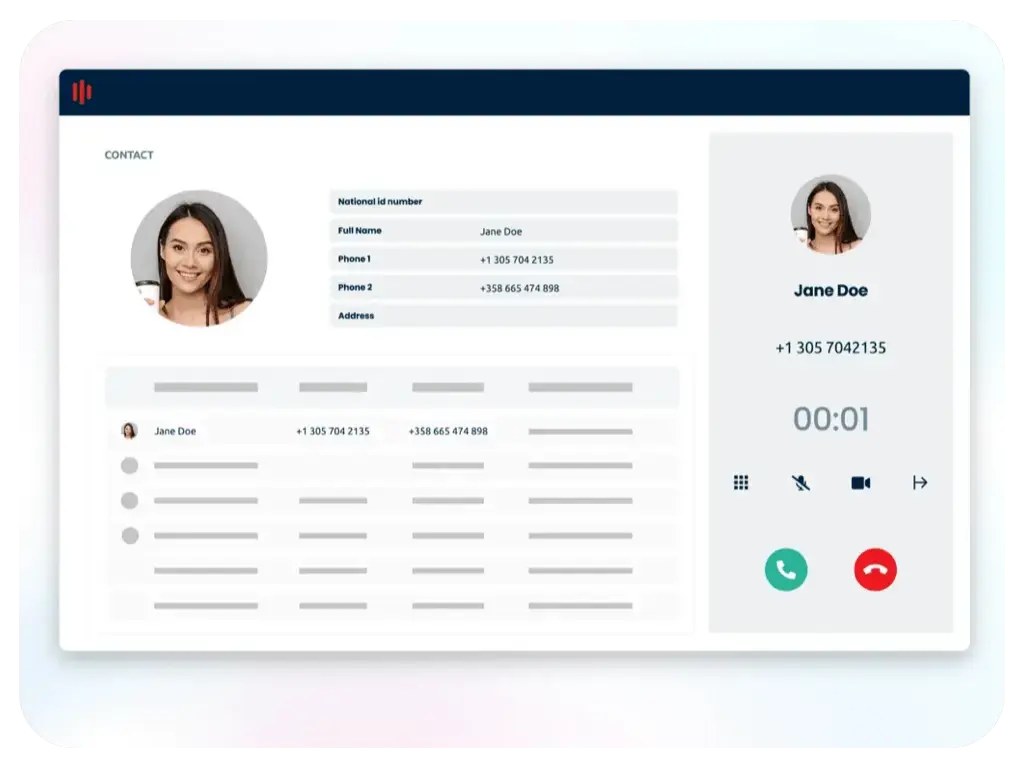
    One inbox, every channel

    Voice, email, chat, and social in one place, so customers never repeat themselves.

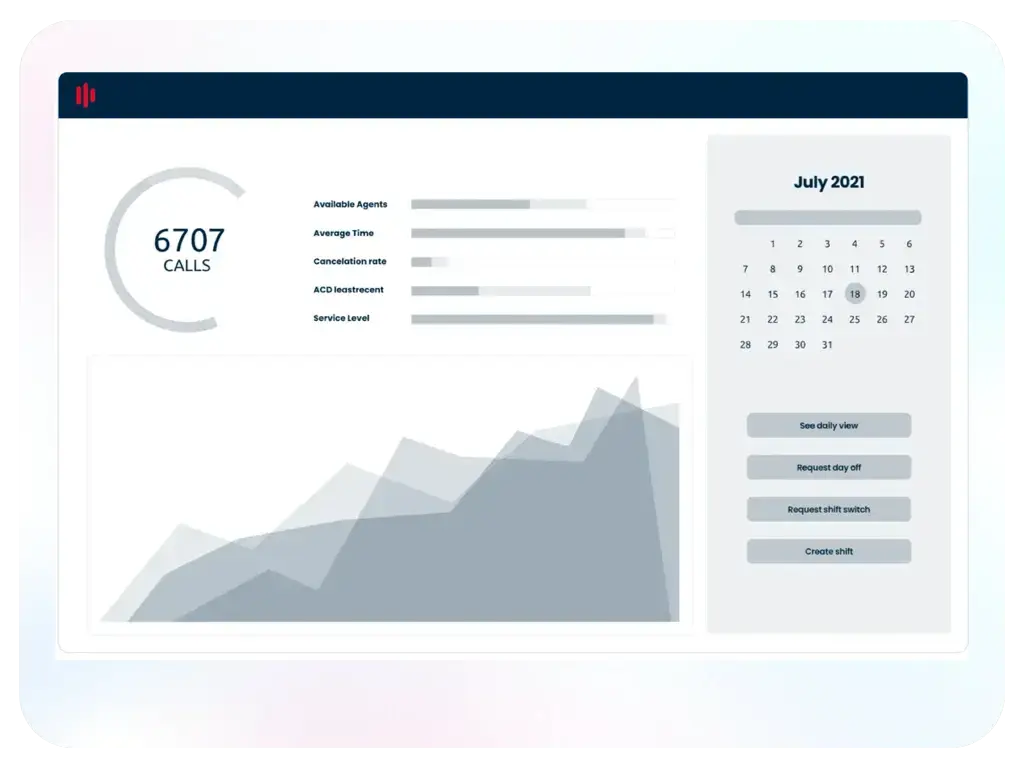
    Performance, in full view

    Live dashboards and quality monitoring keep every shift running the way it should.

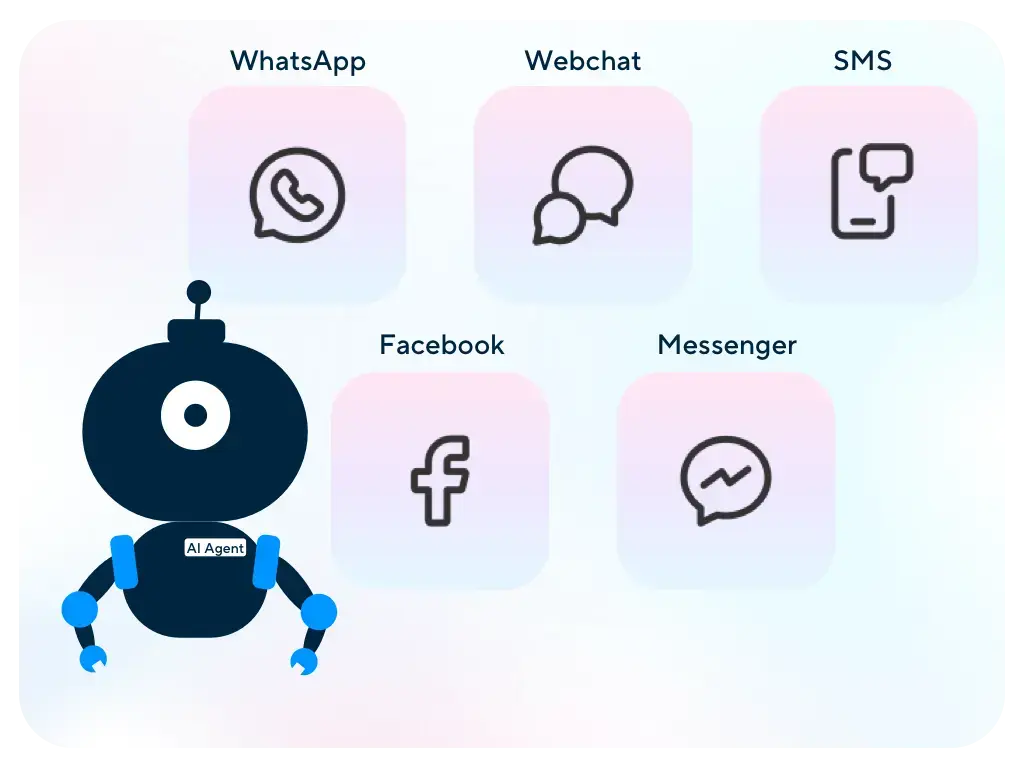
    Automated and customized

    Customizable workflows and automation adapt to your business, not the reverse.

    Infrastructure built for trust

    99.98% uptime, enterprise security, and integrations without the developer queue.

    Everything your contact center needs, built into one platform

    VOICE

    Tools for high-quality call interactions

    • Inbound or outbound calls, or blended campaigns
    • Progressive, predictive & power auto dialers
    • Interactive voice response (IVR)
    • Automatic call distribution (ACD)
    • Call recordings
    • Desktop & mobile softphone
    • Voice broadcast
    OMNICHANNEL

    Every channel, one connected experience

    • Unified inbox
    • Social Media
    • WhatsApp
    • Automation & AI
    • Live Assistance WebChat
    • Email
    • Texting (SMS & MMS)
    INTEGRATIONS

    Connect any tool visually. No code, no waiting.

    Connect uContact to your CRM and business tools through a drag-and-drop visual canvas. No developer ticket, no professional services, no waiting on IT.

    TESTIMONIALS

    Real results, real uContact customers

    One of the main differences is the degree of autonomy and customization that uContact allows. The stability and robustness is a differentiating factor — and the team has accompanied us throughout the entire process.

    Screen Shot 2024-03-13 at 3.46.34 PM
    Carolina Mancera Deputy General Manager, BPM Consulting
    Read the case study

    I've tried other solutions and uContact is in the top 3. It's very intuitive, so it's easy to use.

    user
    Paula A Area Manager, Telecommunications. Review collected by User Evidence

    Since switching to net2phone, the most significant benefit we’ve experienced is improved call quality and reliability. Our dropped calls have reduced by over 70%, and customer satisfaction scores have increased by 20%. Additionally, the cost savings have been substantial — our monthly communication expenses are down by nearly 30%. The integration with our CRM has also improved efficiency, saving our team around 5–7 hours per week.


    user
    Business Development Manager Healthcare Company. Review Collected by UserEvidence.

    uContact is a great cost benefit and the team offers quick service via email and quick problem resolution. Request the exchange of equipment and not another day, we will have the exchange carried out.

    user
    Felipe N. Commercial Manager, Business supplies and equipment. Review collected by User Evidence

    “uContact has excellent ease of use during management and has good customer support.

    Ruben P Supervisor, Consumer electronics. Review collected by User Evidence

    uContact is easy to use, intuitive, and integrates everything I need to work in one place, which makes my work easier and allows me to achieve my goals faster. I appreciate the simplicity of the system. It is dynamic and functional.

    user
    Florencia P, Manager, Law practice. Review collected by User Evidence
    why net2phone

    Built for enterprise trust, at every level

    99.98% uptime

    Reliability and uptime backed by SLA

    Compliance, covered

    SOC 2 certified and HIPAA compatible for compliance requirements

    Scales without friction

    Add users, locations, and features as you grow

    24/7 expert support

    Real help from real people, whenever you need it.

    Simple to set up and run

    Guided onboarding gets your team live fast, with minimal disruption.

    Easy to use

    Minimal training, fast adoption, consistent across every device.

    SEE LIVE DEMO

    See uContact configured for how you work

    Every workflow, channel, and rule is fully customizable, so in your demo, we'll show you what that can look like for your industry, team size, and operation.

    Book a Demo See Pricing

    uContact frequently asked questions

    What is the uContact contact centre solution?

    uContact is an AI-powered cloud contact center solution from net2phone designed to improve customer experience across all communications, on every channel, using cloud & omnichannel software.

    What are the main benefits of using uContact?

    uContact is an omnichannel contact center solution designed to streamline customer interactions across multiple communication channels. Here are the main benefits:

    Omnichannel Communication – Integrates voice, email, chat, SMS, social media, and WhatsApp, enabling seamless customer interactions across all channels.

    Cloud-Based & Scalable – Allows businesses to operate remotely with cloud-based deployment while scaling up or down based on demand.

    Automation & AI Integration – Features AI-driven chatbots, IVR (Interactive Voice Response), and automation tools to improve efficiency and reduce manual workload.

    Real-Time Monitoring & Analytics – Provides detailed dashboards, KPIs, and reporting to track agent performance and customer satisfaction.

    CRM & Third-Party Integrations – Easily integrates with CRMs like Salesforce, HubSpot, and other business applications to unify customer data.

    Workforce Management – Includes tools for agent scheduling, skill-based routing, and quality monitoring to enhance productivity.

    Customizable & User-Friendly – Offers a highly customizable interface with drag-and-drop workflows, making it easy to adapt to specific business needs.

    Security & Compliance – Ensures data protection with encryption, compliance with industry standards, and secure user authentication.

    What kind of support is provided with my contact center platform?

    Every client benefits from our dedicated onboarding specialists, who assist in configuring system preferences and call flows. In addition, every customer can access live support via phone or email. Service tickets can also be created through email or chat directly from the user interface.

    How does uContact handle deployment, and what does it require from our IT team?

    uContact is cloud-based, so there's no on-premise hardware to provision or maintain. Deployments can be live within weeks rather than the months typical of on-premise systems, and adding new agents or channels afterward takes minutes, not a new IT project. Your team gets dedicated onboarding specialists to help configure system preferences and call flows, so implementation doesn't fall entirely on internal IT resources.

    What security certifications and standards does uContact meet?

    uContact is SOC 2 certified and HIPAA compatible, supporting the data handling and access control requirements enterprise and healthcare-adjacent organizations need to meet. 

    How does uContact integrate with our existing systems?

    Our customer experience solutions are customized to your exact needs and therefore pricing can vary. Reach out to our sales team to request a demo, customized proposal, or free proof of concept.

    How much time is required to set up my cloud contact center?

    A cloud contact center solution can be implemented within weeks, unlike on-premise contact centers, which require months for physical installation, provisioning, configuration, and deployment. Additionally, adding new agents to a cloud-based system takes only minutes, whereas traditional call centers may take days or even weeks.

    What kind of support is provided with my contact center platform?

    Every client benefits from our dedicated onboarding specialists, who assist in configuring system preferences and call flows. In addition, every customer can access live support via phone or email. Service tickets can also be created through email or chat directly from the user interface.

    Explore more net2phone solutions

    Explore unite
    unified communications

    unite

    Calls, video, chat, and SMS in one platform.

    Explore AI Agent
    Conversational AI

    AI agent

    24/7 AI that resolves customer requests on its own.

    Explore coach
    Conversation Intelligence

    coach AI

    AI-powered coaching for 100% of your calls and emails.

    GET STARTED

    Ready to deliver better customer experiences?

    Manage voice, chat, email, and social media in one place. Agents always have full context, customers never repeat themselves, and every interaction feels seamless regardless of channel.

    Get Started Get Started
    2026-Contact-Center-Workforce-Management-2 Copy 9

    Everything you need to know about cloud contact center solutions

    How does a cloud contact center improve customer service efficiency?

    A cloud contact center improves efficiency by consolidating all channels, workflows, and performance metrics into a single platform rather than having them scattered across separate tools and systems. Agents get full customer context the moment an interaction starts, so they resolve issues faster and stop asking customers to repeat themselves. Managers get real-time visibility into queues, volume, and performance, so problems get caught before they affect customers. And automation handles routine work like FAQs, transfers, and follow-ups, so your team scales without adding headcount. Cloud contact centers allow for faster response times, higher first-contact resolution, and lower operational costs.

    What is a cloud contact center solution?

    A cloud contact center solution is a customer engagement platform hosted in the cloud instead of on physical hardware in your office. It manages every customer interaction, voice, email, chat, SMS, and social media, from one system that your team can access from any browser or device. Because it runs in the cloud, there's no hardware to install or maintain. Updates, new features, and capacity all roll out automatically, and you can add agents, channels, or locations without a hardware refresh.

    How do you find a provider that offers the best cloud contact center services?

    Start by matching the provider's capabilities to how your team actually operates, not just their feature list. The right fit depends on a few specific things:

    • Reliability track record. Look for a published uptime SLA (99.98% or higher) backed by carrier-grade infrastructure, not just a claim on the website.

    • Channel coverage. Confirm the platform natively supports every channel your customers use: voice, email, chat, SMS, WhatsApp, and social, in one unified inbox.

    • AI and automation depth. Native chatbots, intelligent routing, and AI-generated summaries should be built in, not bolted on as a third-party add-on.

    • Integration options. Your CRM (Salesforce, Microsoft Dynamics, HubSpot) and other core tools need to connect natively, with open API access for anything custom.

    • Support model. Ask whether support is available 24/7 or outsourced. In-house teams typically resolve critical issues faster.

    • Implementation experience. A provider that offers dedicated implementation support and strategic consultation reduces disruption and accelerates time to value.

    What are the essential cloud contact center features?

    Every cloud contact center should include these core capabilities:
    • Omnichannel routing across voice, email, chat, SMS, and social, with a unified inbox so agents never lose context when switching channels.
    • Intelligent call management, including ACD, skills-based routing, call queuing, and IVR with speech recognition.
    • Workflow automation, with a drag-and-drop, no-code designer so teams can update routing and escalation rules without waiting on a developer.
    • AI-powered automation, including native chatbots, call transcription, summarization, and sentiment analysis.
    • Real-time analytics and reporting, with live wallboards and historical reports (uContact includes 300+ preset and customizable reports) so managers can act on data, not guesswork.
    • Quality monitoring and coaching tools, like call recording, live whisper coaching, and call barging, so supervisors can develop agents in the moment.
    • CRM and tool integrations, so agents see customer history and open deals the moment the interaction starts.

    What are the best contact center solutions for small businesses?

    The best fit for small businesses is a cloud-based platform that scales with growth, requires no hardware investment, and doesn't need a dedicated IT team to manage. Look for straightforward pricing, quick deployment, and core features like omnichannel routing and basic reporting, without paying for enterprise capacity you don't need yet.

    What are the top benefits of a cloud contact center?

    • Consistent customer experience across every channel. Customers get full context regardless of how they reach you, so they never repeat themselves.
    • Lower operational costs. Automation handles routine, repetitive work, so your team scales without proportional headcount growth.
    • Real-time visibility. Live dashboards mean supervisors catch problems before customers feel them, instead of finding out after the fact through complaints.
    • Faster resolution times. Intelligent routing gets every customer to the right agent on the first try, improving first-contact resolution and reducing handle time.
    • Stronger agent performance and retention. Built-in coaching, scheduling, and performance tools give agents what they need to succeed and stay.
    • No hardware investment. Cloud infrastructure means faster deployment, lower upfront costs, and no maintenance burden on your IT team.


    On-premises vs. cloud contact center: what's the difference?

    The main difference is where the infrastructure lives and who maintains it. On-premises systems run on hardware and servers your IT team owns and manages on-site. Cloud contact centers run on the provider's infrastructure and are accessible from any browser, with maintenance, updates, and capacity management handled for you.
    That difference plays out across a few key areas:
    • Upfront cost. On-premises requires hardware, servers, and licenses. Cloud runs on a subscription, with no infrastructure to buy.
    • Maintenance. On-premises puts upkeep on your IT team. Cloud maintenance is handled by the provider.
    • Scalability. On-premises growth requires new hardware. Cloud lets you add agents or channels in minutes.
    • Remote access. On-premises access is often tied to a physical location. Cloud gives agents full functionality from any browser or device.
    • Updates. On-premises updates are manual and scheduled. Cloud updates roll out automatically and continuously.
    • Deployment time. On-premises deployment typically takes weeks to months. Cloud deployment takes days to weeks.
    • Disaster recovery. On-premises requires separate backup infrastructure. Cloud builds disaster recovery into the platform.
    For most mid-market and enterprise teams, the cloud model removes the IT burden of maintaining infrastructure and gives your team the flexibility to scale, add channels, and support remote agents without a platform change.

    What are the core capabilities of a cloud contact center platform?

    A complete cloud contact center platform is built on these core capabilities:

    • Omnichannel customer engagement. Voice, chat, email, SMS, and social in one place, so agents always have full context and customers never repeat themselves.

    • Workflow automation. Automated routing, chatbots, and no-code workflow tools handle routine work, so customers get faster resolutions and agents focus on complex interactions.

    • Analytics and reporting. Real-time wallboards and historical reporting give leaders a live view of performance, staffing, and customer experience, so decisions are based on current data, not guesswork.

    • Agent performance and coaching. Scheduling, live coaching (whisper, barge), and quality monitoring tools built into the platform, so agents are set up to succeed and customers get consistent service.

    Together, these capabilities give contact center teams a single system to run the entire operation, rather than piecing it together across disconnected tools.

    What should I consider when choosing between on-premise and cloud contact center options?

    Consider total cost of ownership, not just upfront price. Cloud eliminates hardware and maintenance costs and scales faster. On-premise offers more control over data residency, which matters for some regulated industries. Also weigh your IT team's bandwidth: cloud shifts maintenance and updates to the provider, freeing your team for higher-value work.

    What are the main benefits of migrating to a cloud contact center?

    Migrating to the cloud cuts infrastructure costs, since there's no hardware to buy or maintain. Teams gain the flexibility to scale up or down instantly, support remote agents from anywhere, and roll out updates automatically instead of scheduling manual upgrades. Most organizations also gain better visibility through built-in, real-time reporting.